Here at OU, we provide every student, faculty, and staff member with webhosting and a free URL through OU Create. We’re hoping to build digital literacy by giving students the chance to build their own websites and learn a bit about how the internet works.
While we’ve been offering these web services for a little over 5 years now, I still talk to a lot of students who use SquareSpace or Wix rather than OU Create. Some of these students were unaware of Create, but others say that Wix is just easier to use than WordPress or the other site building apps that we support in Create.
Because we have Create, I haven’t used Wix, so I went looking for a thorough tutorial on Wix. The video posted below is really thorough showing all of the steps for creating pages, the navigation menus, and everything else you need for a Wix site.
After watching the video, I can see the appeal of the graphical user interface in Wix. It’s fairly easy to add text, images, buttons, etc and place them on the page. Where Wix is really strong is the ability to place an element wherever you want it within the width of a web page without needing to write CSS manually to align the image.
The new WordPress editor in WordPress 5 can do a lot of the same stuff as Wix in terms of adding text, images, buttons or whatever else to a webpage. I think the new editor is even easier to use for a simple blog post than Wix.
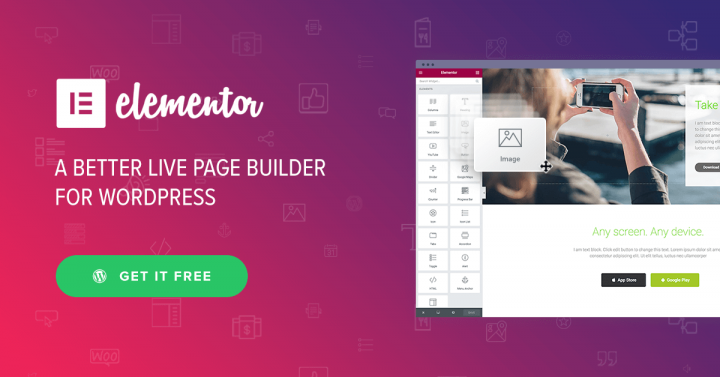
However, for a page with lots of graphics, text, video, buttons, etc. Wix has a more robust graphical user interface than WordPress. However, because WordPress code is opensource, the WordPress community has built a couple of graphical user interfaces to fill this gap. The one that I use most often is called Elementor. The video below is an in depth tutorial on setting up a WordPress site using Elementor.
The process for building out a site using Elementor is really similar to what we saw in the video for Wix. Both use a fairly similar graphical user interface with drag and drop elements for text, images, video, etc. Elementor’s menu structure is a bit more complex, but with that comes the ability to be very specific about where you want everything and how you want it to look.
Both of these videos are long, and show that building a really nice looking website will take some time in either system. I still think that basic WordPress 5 is the simplest solution for students who are just wanting to put together some quick blog posts for their classes.
However, Elementor provides the types of options that Wix offers and basic WordPress lacks. While I’ll always encourage the students to use whatever tools best fit their workflow, WordPress with Elementor is going to be cheaper (free) than Wix, Weebly, or SquareSpace while they’re using OU Create, and I can actually support their sites whenever they have issues.